
What Can We Do For You?
Spyora is built to help Amazon sellers save time, uncover hidden opportunities, and make data-driven decisions. Here’s how we’ve got your back with powerful tools designed for your success.
Live Score Check
Instantly check Live Score on Amazon pages to validate opportunities faster and make quicker buy/sell decisions with confidence.
Save Product (Product Page)
Save products from Product Pages with the exact data you need: ASIN, Brand, Title, Price, BSR, Categories, Sellers, Ratings, Size, and Sales.
Advanced Product Filtering
Filter by fulfillment type, price, BSR, sellers, ratings, variations and more — to focus only on products that match your profit strategy.
One-Click CSV Export
Export clean Unicode-safe CSV files instantly with important columns like ASIN, brand, price, BSR and more — ready for Excel analysis.
Stock Analytics
Analyze stock and seller movement with smarter signals — helping you avoid risky listings and prioritize stable, profitable products.
Storefront Hunting
Discover sellers in a category and export storefront links to analyze their product strategies and approval-friendly brands.
New Seller Hunting
Spot new sellers entering the market, track trends early, and stay ahead by identifying emerging profitable opportunities.
Brand Approval Checker
Auto-analyze products by seller/stock criteria to improve your chances of brand approvals — faster and more consistent.
Extension in Action
See Spyora at Work
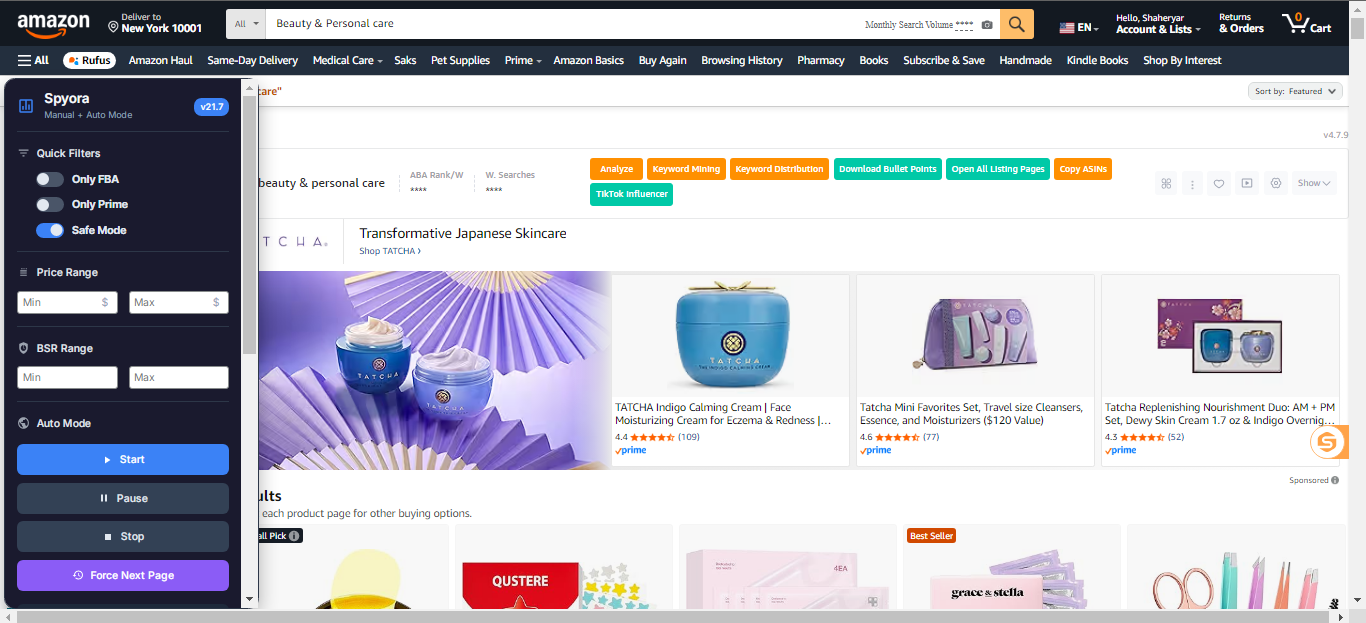
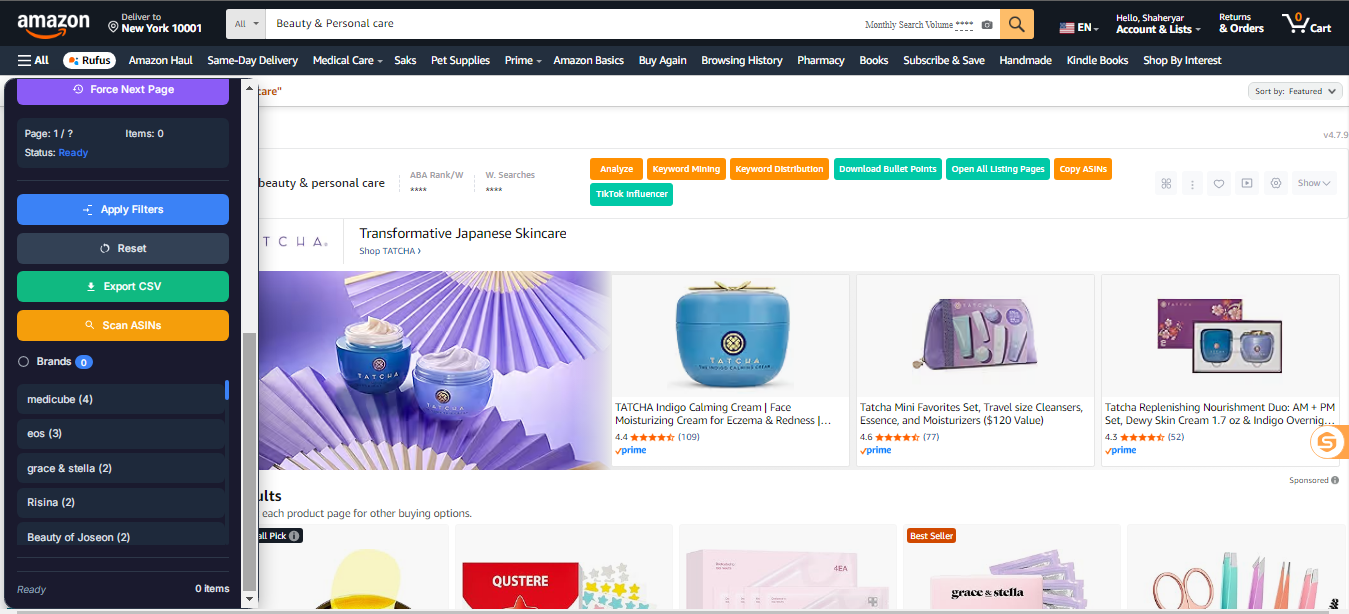
Spyora’s panel sits right on Amazon search pages—no extra windows, no data delays.
Instant filter toggles for FBA, FBM & Both(FBA+FBM)
Drag‑and‑drop brand list to focus on top competitors
Auto‑scroll & collect data across pages
Pricing
Super Premium Plan
One powerful plan with everything you need for Amazon product research—no tiers, no hidden costs.
Everything You Need To Succeed
Save Product (Product Page + Search Page)
Live Score Check
Stock Analytics
Advanced Product Filtering
One-Click CSV Export
Real-Time Brand Analytics
Storefront Hunting
New Seller Hunting
Stock Criteria Checker
Brand Approval Checker
Multi-Page Scanning
FBA Products Hunting
BSR Range Filter
User Friendly Panel
All Amazon Marketplaces
Sellersprite Extension Integration
24/7 Priority Support - Email + WhatsApp
Why Amazon Sellers Trust Spyora
Frequently Asked Questions
Everything you need to know about Spyora before getting started.
Spyora is a Chrome extension that helps Amazon sellers research products faster. It scans Amazon pages, applies your filters, shows insights like brand analytics, and lets you export clean CSV files — all inside your browser.
1) Sign up at Spyora.com and verify your email. 2) Install the Spyora Chrome extension. 3) Activate your plan (Rs. 1,200/month) and start using features like Save Product, filters, brand analytics, and CSV export immediately.
Spyora includes advanced product filtering, CSV export, storefront hunting, new seller hunting, brand analytics, brand approval checking, stock criteria checking, multi-page scanning, SellerSprite integration, and Save Product (including product page saving). It also includes newer tools like Live Score Check and Stock Analytics.
No. Spyora is built for Amazon sellers of all experience levels. If you can install a Chrome extension, you can use Spyora — it’s designed to be simple and plug-and-play.
You pay Rs. 1,200 via Easypaisa, JazzCash, or Sadapay (for non-Pakistani users, via IBAN). Activation usually takes 30–60 minutes after verification, and your extension starts working automatically once activated.
No. Spyora only collects publicly available product data (like ASIN, price, BSR, brand, sellers, etc.). It does not access or store your Amazon login or personal information. Saved data stays locally in your browser via Chrome storage.
Yes. Spyora is billed monthly. You can choose not to renew, and your extension will deactivate after your expiry date. No long-term contracts or penalties.
Yes. Updates are delivered through your extension setup so users get new improvements and fixes without needing complicated steps. If you publish a new version, Chrome will update it automatically for users.